Look through any recording in your browser, before you download it
Open a signal file on a dataset page and the viewer streams only the stretch you are looking at, with the dataset's own events marked.
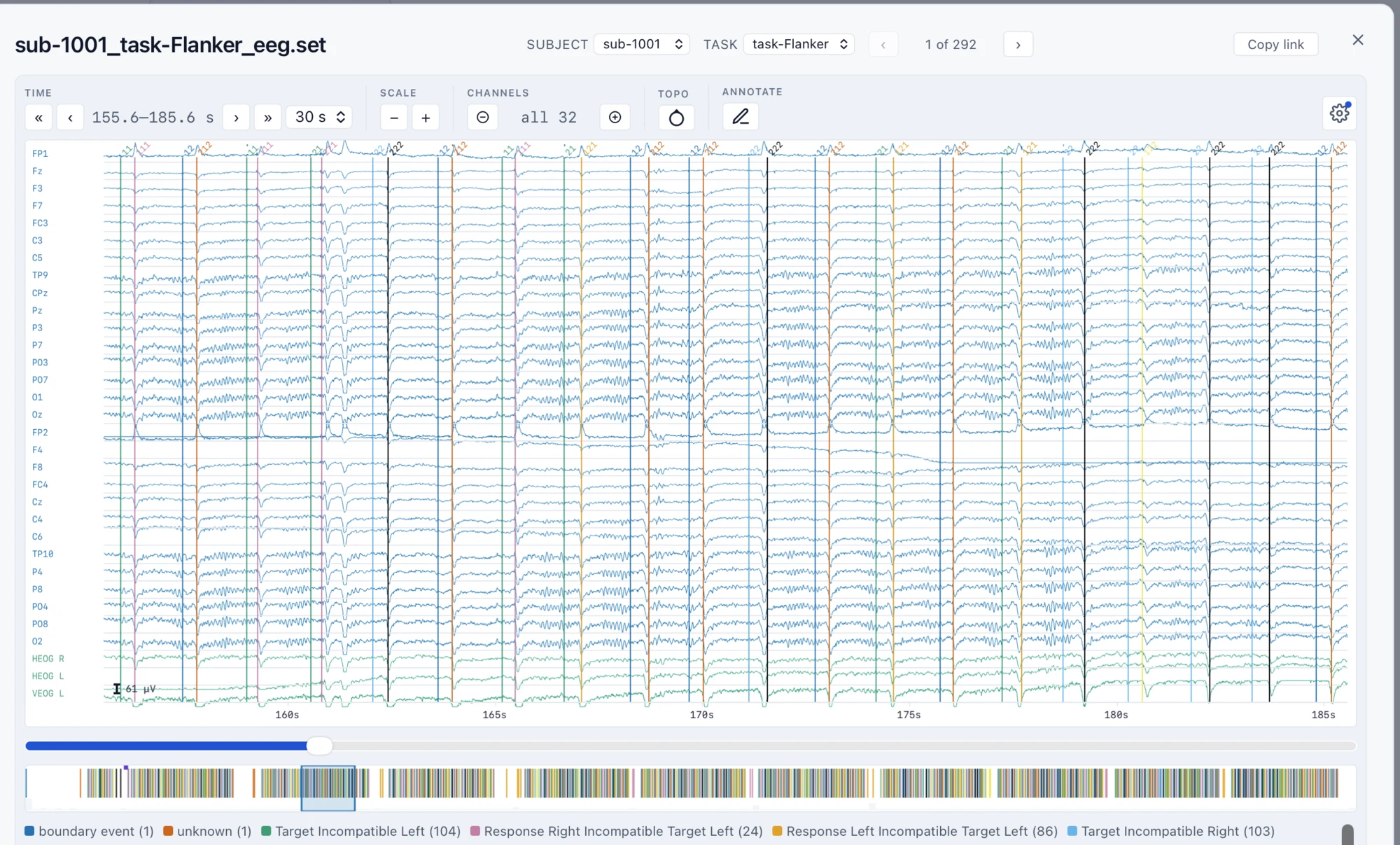
Deciding whether a dataset suits your analysis used to mean downloading it first. Now you can look first. Click a signal file in a dataset's file tree (EEG, MEG, iEEG, or EMG, as .set, .edf, .bdf, .vhdr, or .fif) and the recording opens in a full-screen viewer.
Only the part on screen
NEMAR keeps a streaming copy of each recording in Zarr, a chunked format built for reading over the web. The viewer fetches only the window you are looking at, around 130 KB for ten seconds of data however long the recording is, so an hour-long session opens as quickly as a short one.
What you can do
- Page through time, change the window length, and scale the traces
- Filter with high-pass, low-pass, and notch filters
- Zoom into part of a large montage
- Read the dataset's own events as colored markers, named in a legend, with an overview strip of the whole recording
- Show a topographic map of the scalp at any moment
Update, September 1: the viewer now moves between runs, tasks, and subjects without closing, from the Subject and Task menus at the top.