Annotate recordings with HED and SCORE, right in the viewer
Mark events and artifacts on any recording with standard HED and SCORE terms, then download them as BIDS events and channels files.
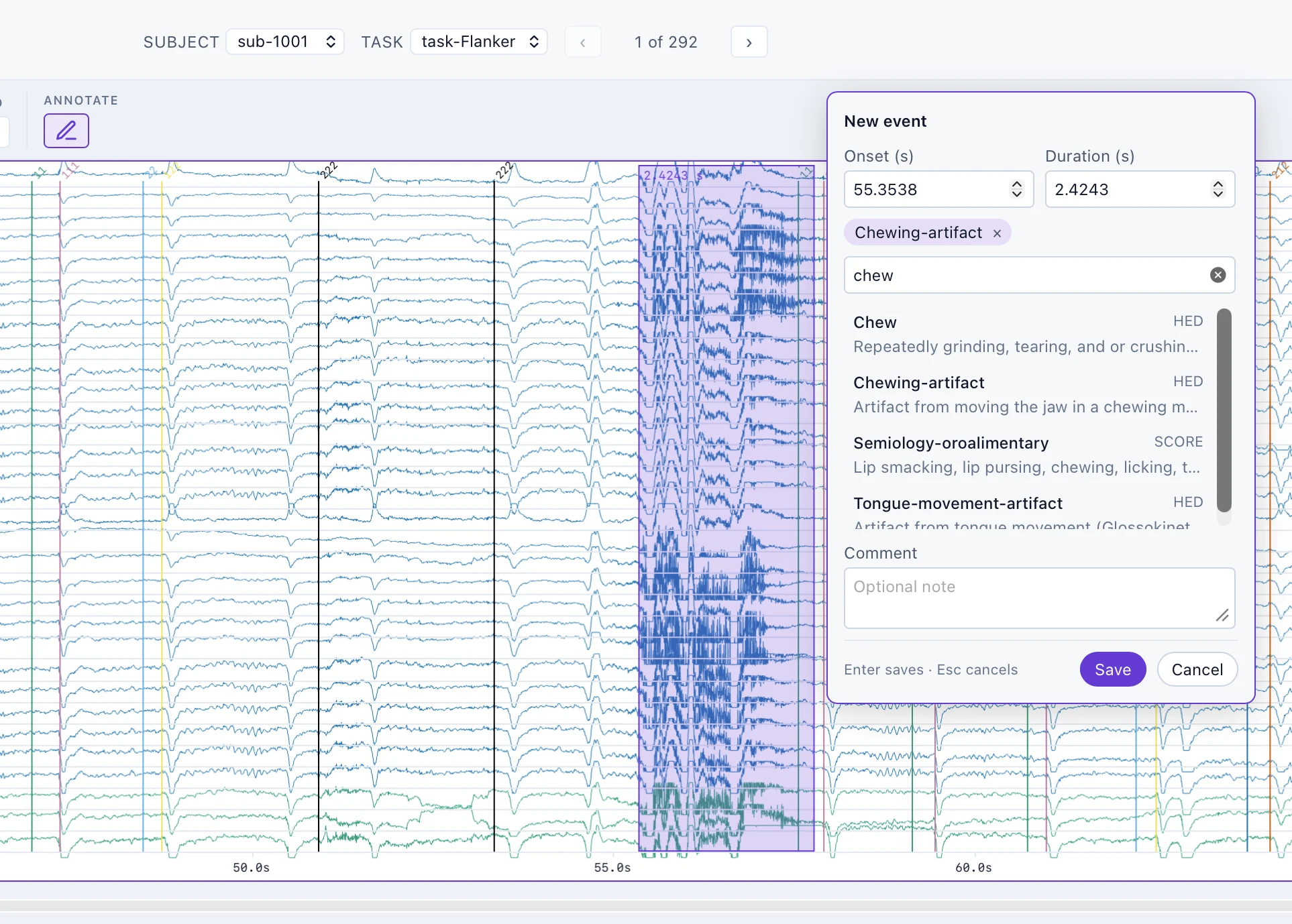
Reviewing a recording usually ends in notes that live nowhere near the data. The signal viewer now lets you annotate as you read, in the vocabularies the field already shares: HED (Hierarchical Event Descriptors) and HED-SCORE, the HED library for SCORE (Standardized Computer-based Organized Reporting of EEG), the clinical EEG reporting standard.
How it works
Turn on Annotate (the pencil beside the topographic map), then:
- Click a trace to mark a moment, or drag across it to mark a span.
- Search the vocabulary as you type. chew finds Chewing-artifact in HED and oroalimentary semiology in SCORE, each with its definition.
- Add a comment when the tags do not say everything.
- Click channel labels to mark bad channels, then annotate them as a set.
Enter saves and Esc cancels. Click an annotation to edit or delete it.
Take them with you
Annotations download as Brain Imaging Data Structure (BIDS) files: <recording>_events.tsv for moments and spans, and <recording>_channels.tsv for channel status. Your browser keeps them between visits, per dataset, version, and recording, so a long review can pick up where it stopped.
The vocabulary holds 488 terms: the whole HED-SCORE 2.1.0 library, plus the artifact, event, and state terms of HED 8.4.0. It loads only when you first turn annotation on.